Index
Bloop
A reflective piece on designing Bloop, an early AI code tool.
I was the sole designer at Bloop, working closely with Louis. Designed in 2022, shipped March 2023.

In 2022, AI in a codebase was autocomplete. Copilot had just gone generally available. You tabbed through a line. Search was grep or GitHub. A question about the code went to a person.
By early 2023, everyone was racing to build the same app: this is my repo, talk to it, give me a code change. Cursor, Copilot Chat (still in preview), Sourcegraph’s Cody, and us.
A place, not a plugin
Before Barcelona, Bloop was a VS Code plugin for regex search, and we were already trying to fit AI into it. At the off-site, I pitched taking it out into a standalone app. Louis agreed.
That meant it needed a home of its own. Dense and calm, designed around repos, docs and projects.
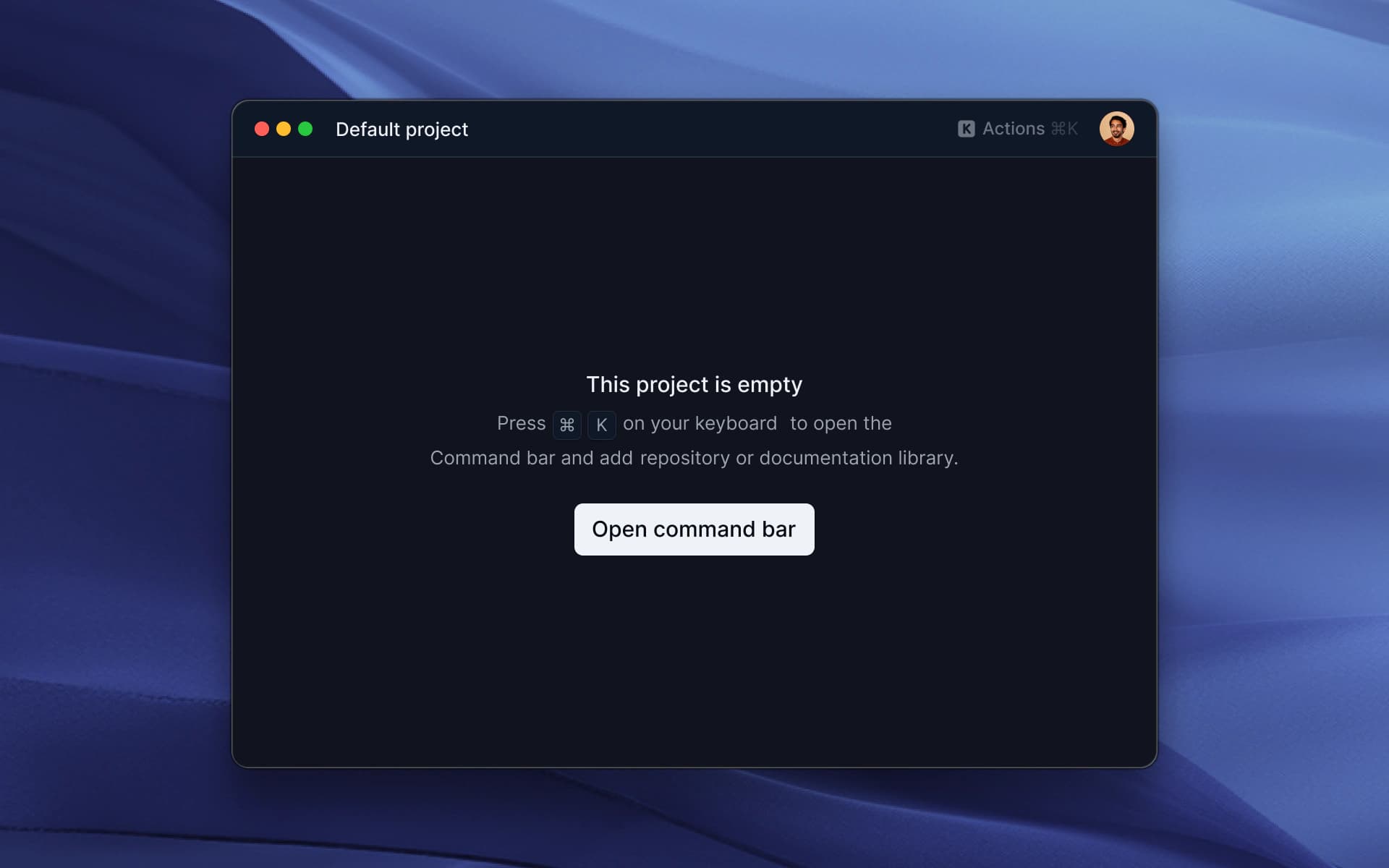
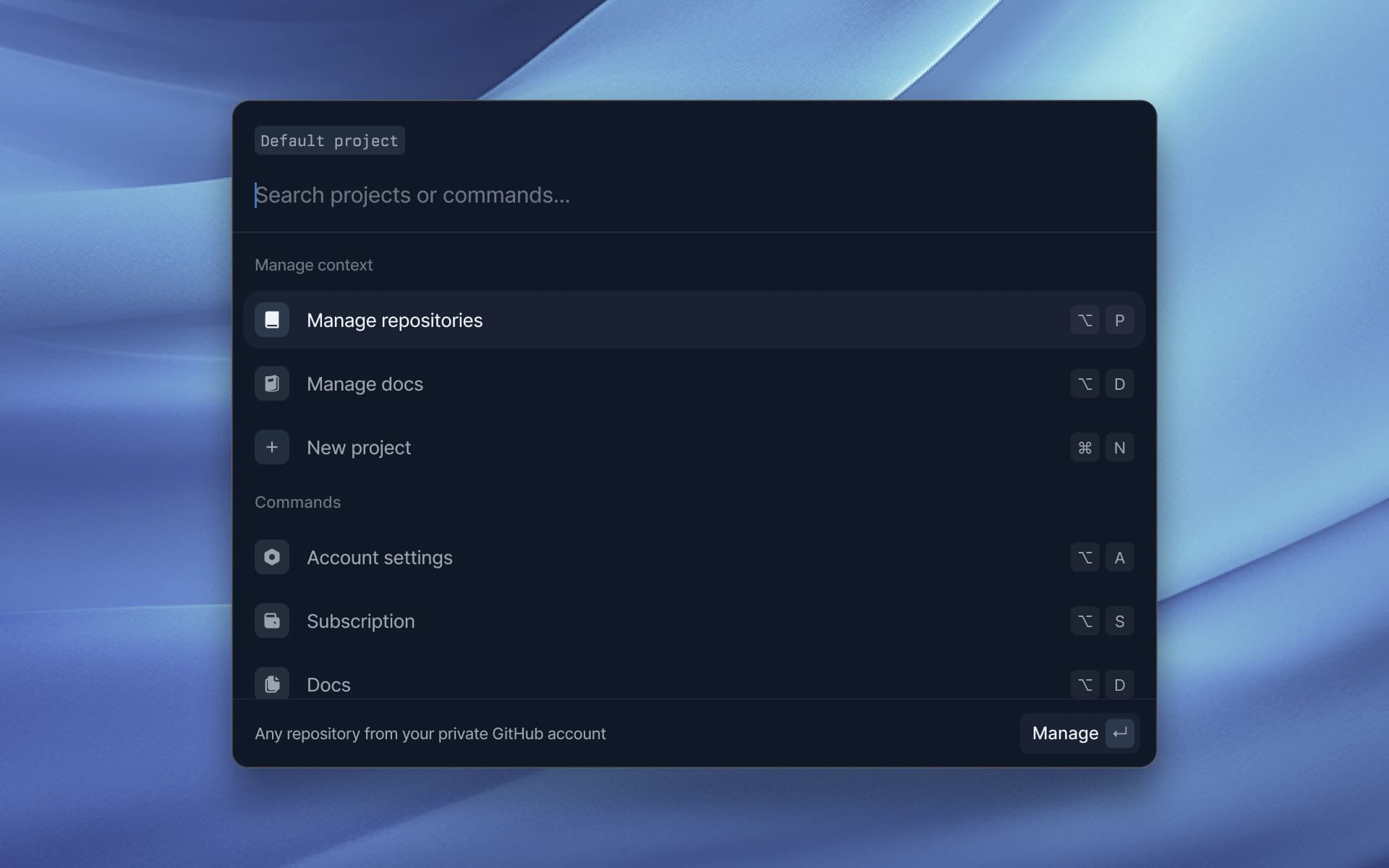
Onboarding taught the user ⌘K.
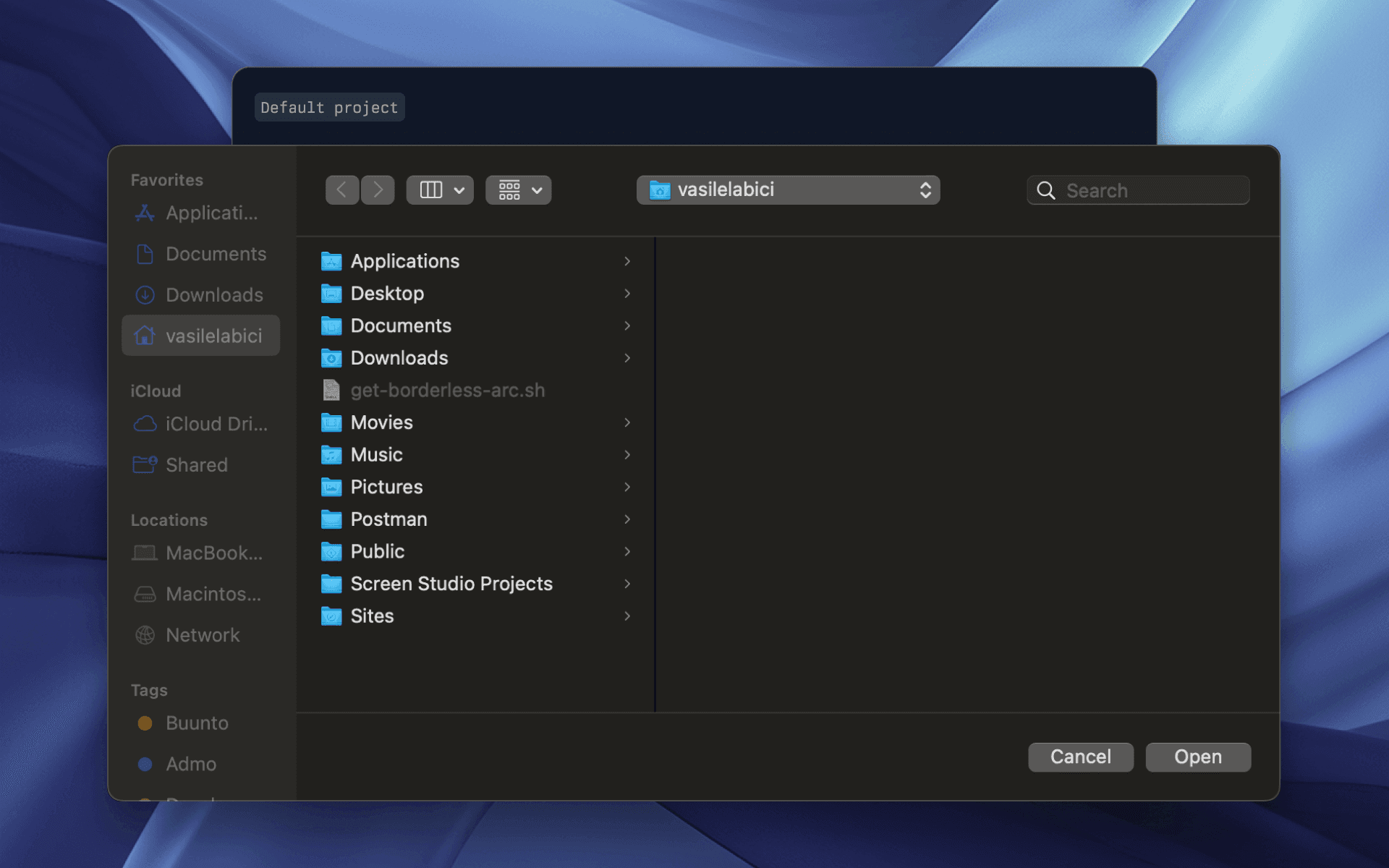
Folder as the way in
I made the folder the starting point and everything hung off it. You opened a private or public repo, or a folder on disk.
Not a paste box. Back then, people copy-pasted code into ChatGPT and back.
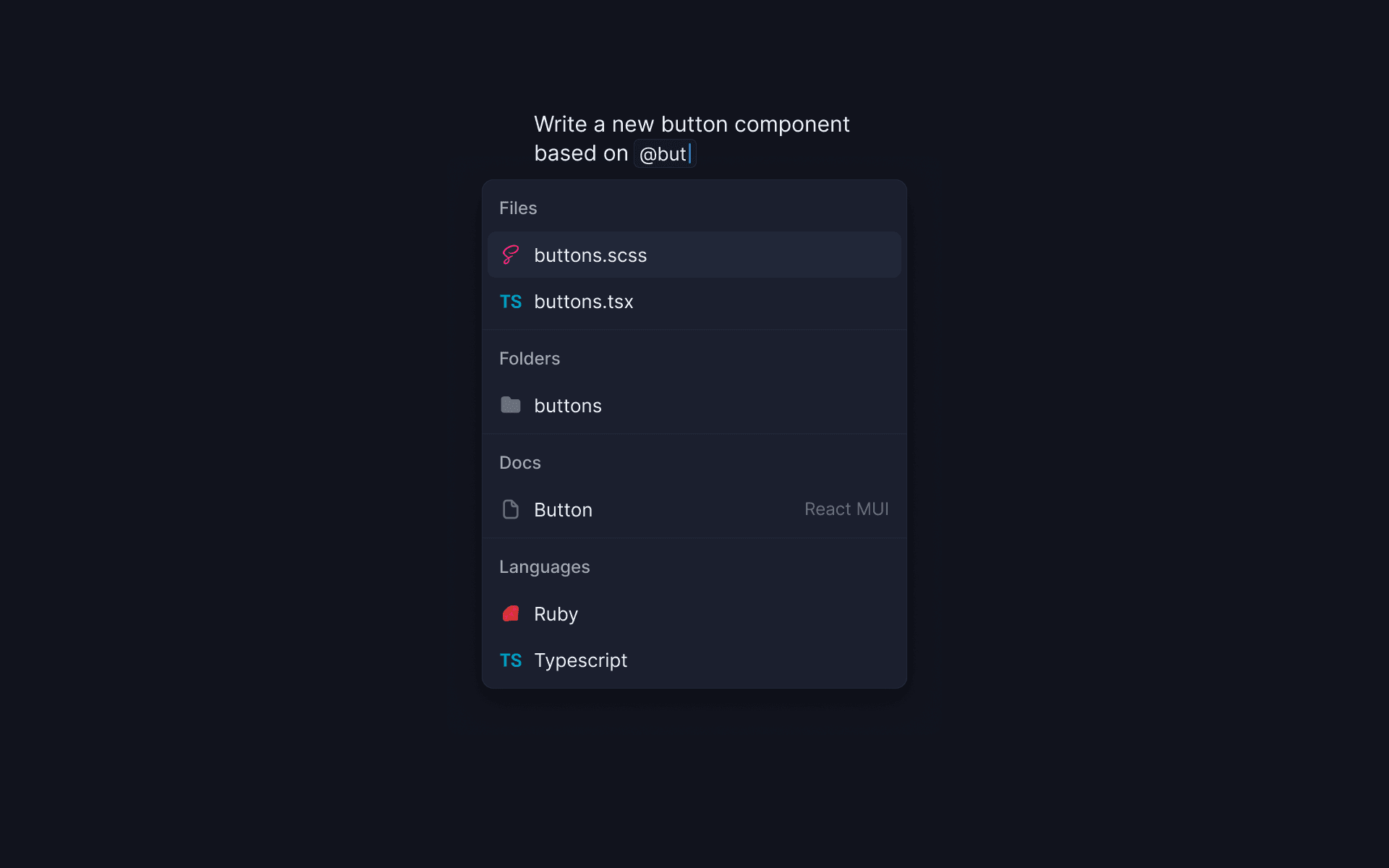
Context was precious
I made @ how you pointed at files, folders, docs or languages.
Nothing compacted context back then. Without @, the model explored the codebase to find the right files and filled the window fast. With it, you handed over only what mattered.
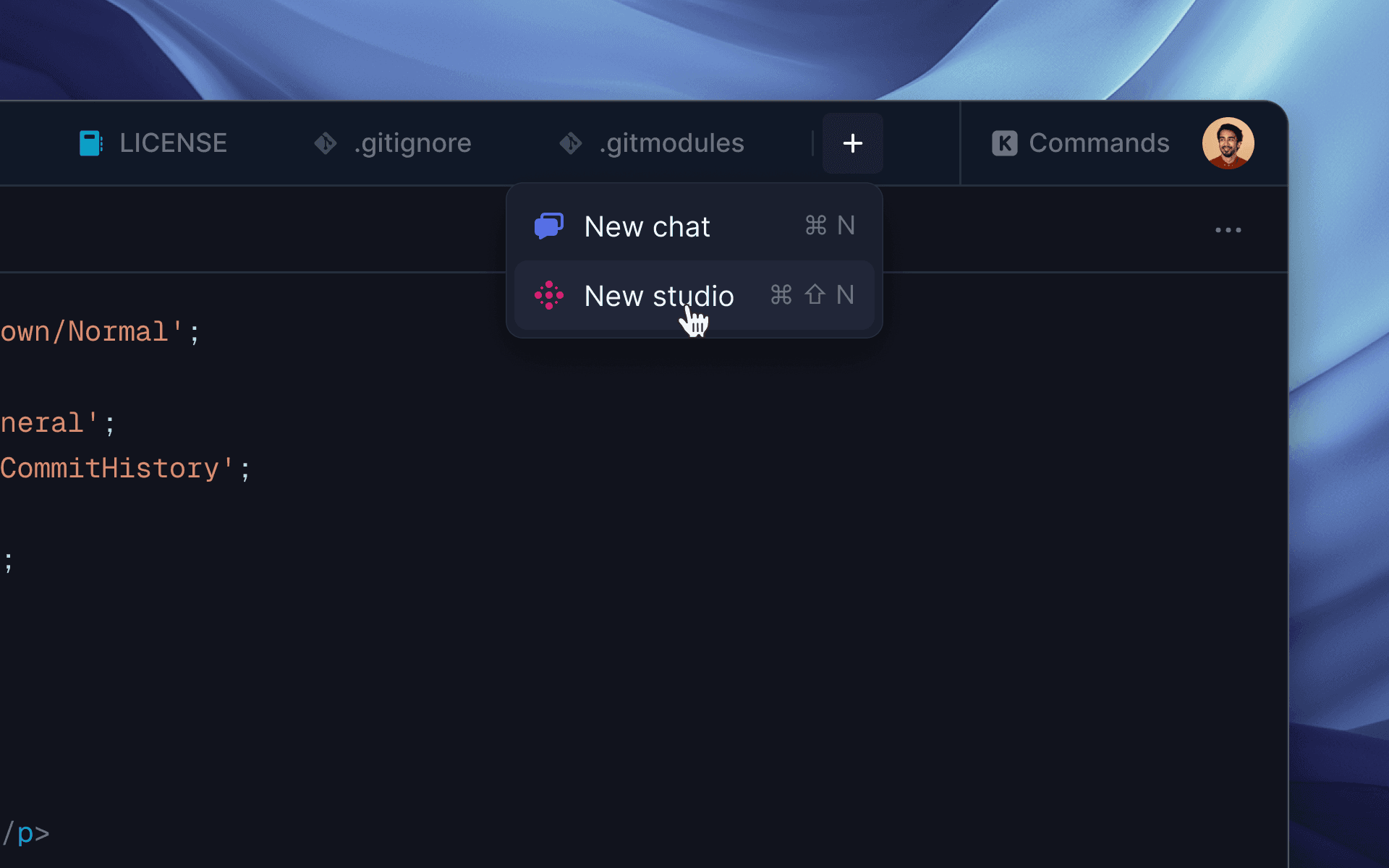
Chat and Studio
Chat was for asking questions about the codebase. The bet was that it would help new hires get up to speed.
Studio was for changing code, so it needed tighter control. You added the files you cared about, and the model only looked at those. Nothing else in the repo leaked in. You managed the context, so you could trust the change.
The cost was a second concept to learn.
Files first
In Studio you picked files, wrote a prompt, and generated a change.
I kept Generate disabled until there was a file, because back then the model would invent one if you didn’t point at something real.
As context windows were small, a token count was always on screen.
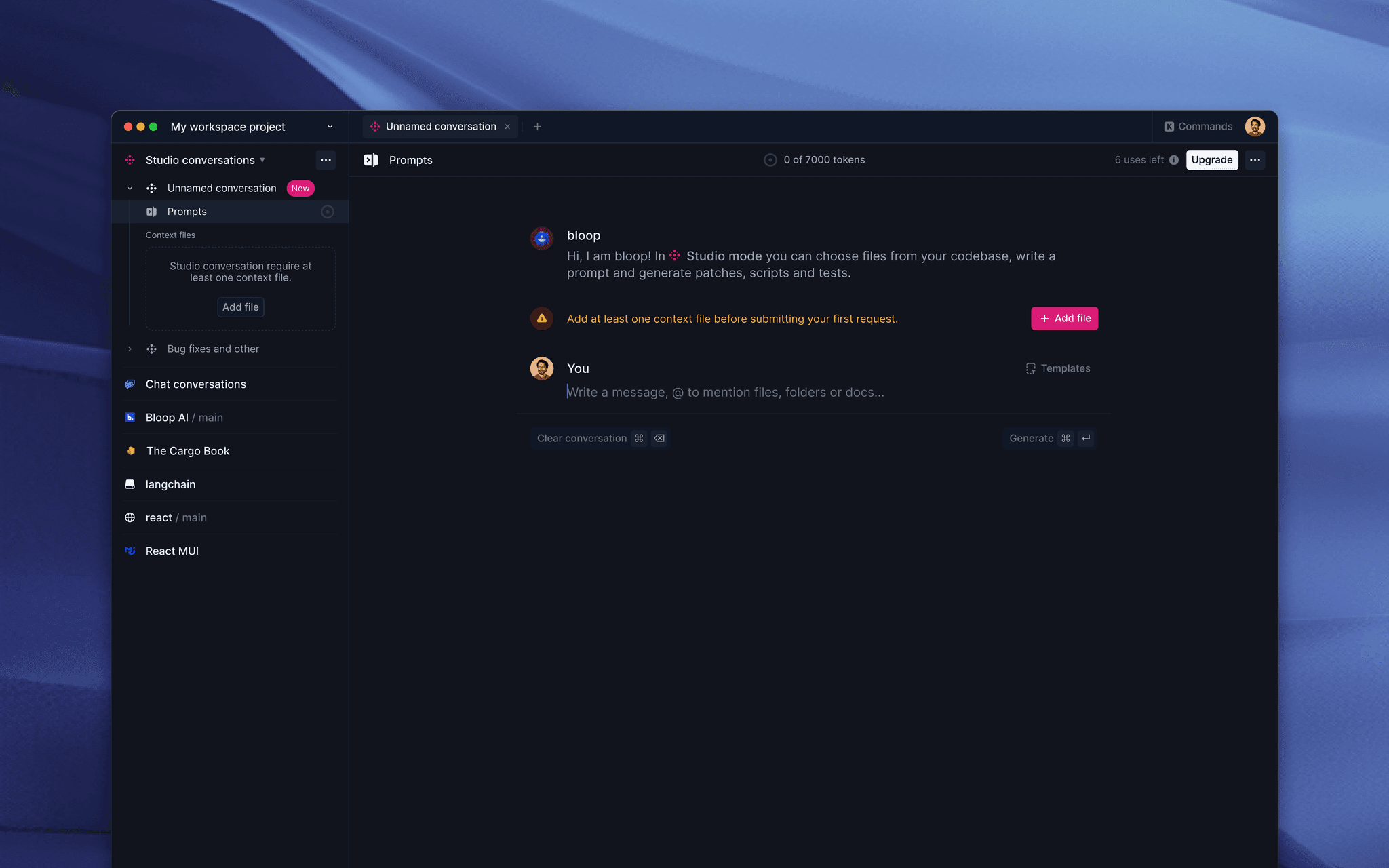
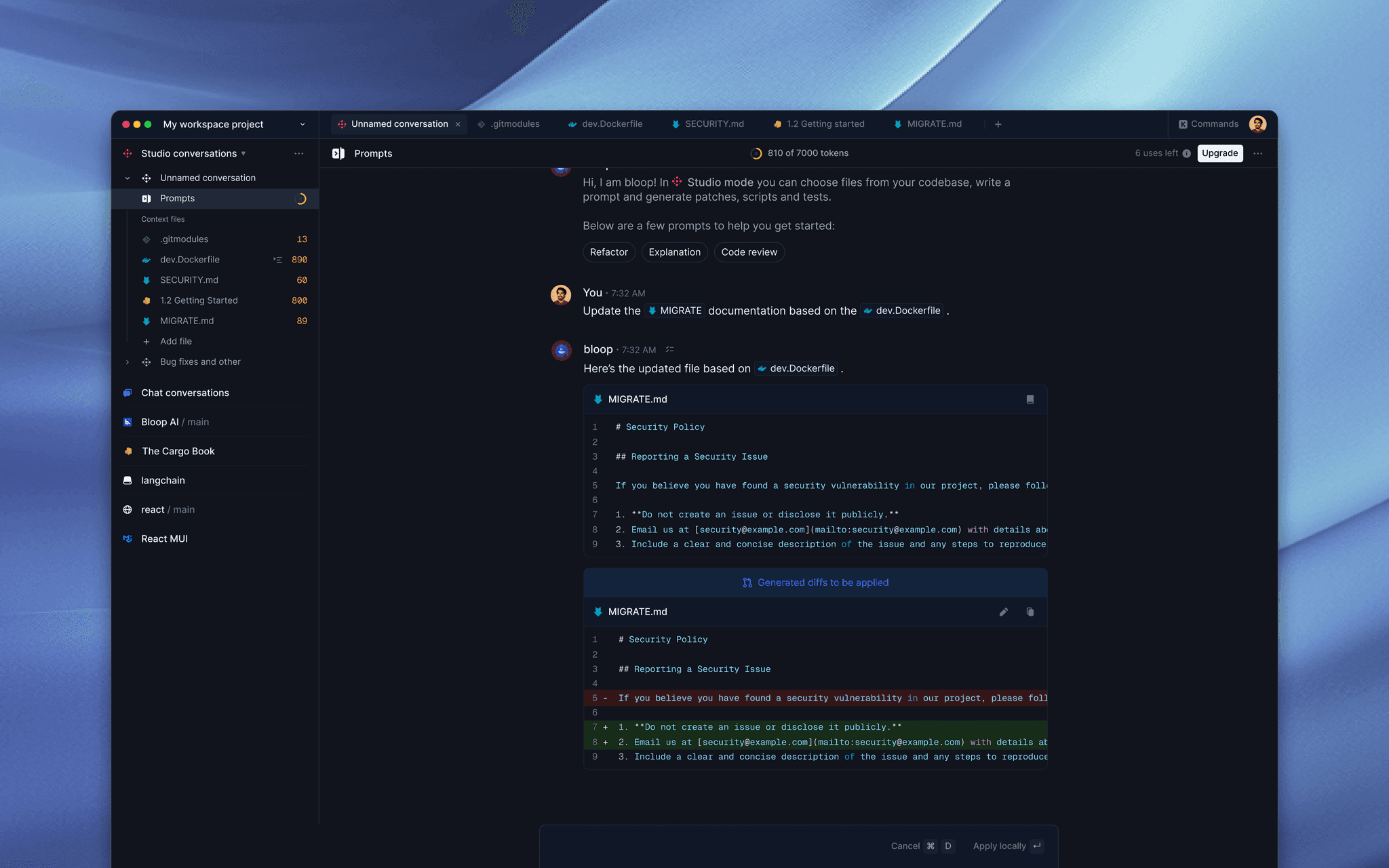
Ten free uses.
Review, then apply
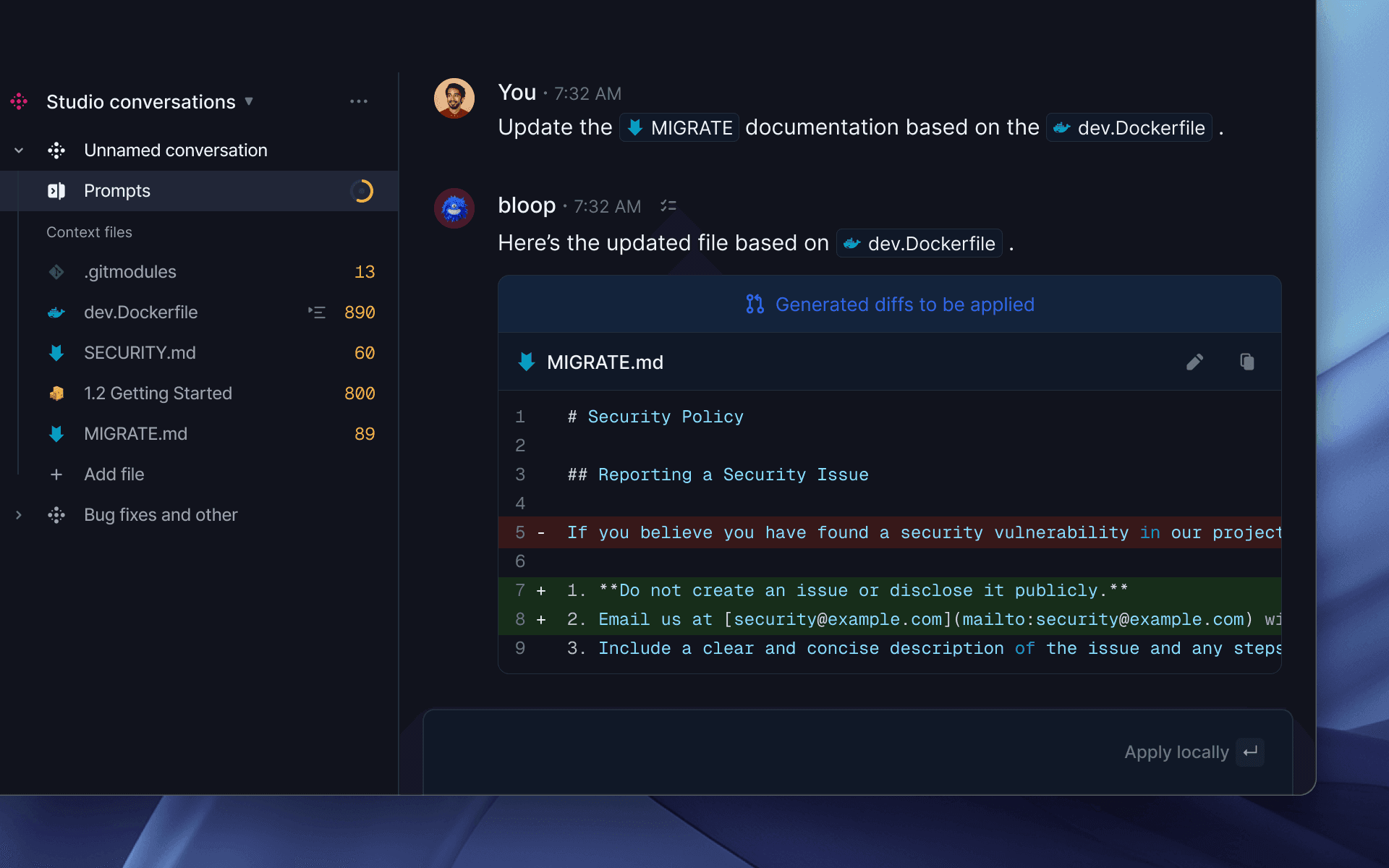
The output here wasn’t an answer in a thread. It was a code change to a file you chose, applied on your machine.
I designed it as a safety measure. You saw the diff before anything changed, and nothing touched your files until you pressed Apply.
March 2023
We shipped it. Cursor launched around the same time, also as its own app, but it was the editor itself. It started on CodeMirror, then moved to a VS Code fork in April 2023.
We sat beside the editor. Cursor was the editor. That was the right call.
We reworked some features and moved the chrome closer to Cursor’s. The team eventually had to pivot. Cursor went all in on the editor, betting that agents would write most of the code.
—
I still visit the archived repo sometimes. Still some of the work I’m most proud of. Not because the UI was great (it felt great to me back then), but because of how close I got to the right interface.
What I’d do now
I wouldn’t take people out of the editor. The folder is already open there: you ask, it finds the files, you accept a diff.
The product was coding with AI, and I should have trusted that more. I’d also drop Studio. Models can now tell a question from a change, so one input can do both.
Today it seems obvious. Back then, every one of these was intuition, and most of it held up.